Why AI-generated React apps drift between preview and production
“Works in preview, breaks in prod” usually isn’t a React problem. It’s an environment problem: the app was generated against one set of assumptions (seed data, enabled features, dependency versions, auth roles, region settings) and then deployed into a different reality. AI-generated apps can amplify this because scaffolding happens fast and teams start iterating before the environment is pinned down.
Deterministic environments solve this by making the preview and production worlds reproducible on demand. Instead of hoping parity exists, you define it: seed data is versioned, feature flags are explicit, and CI snapshots make every build testable against a known database state.
Define what “deterministic” means for your app
For a React app backed by a database and auth, determinism is less about the UI and more about inputs:
- Data determinism: same schema, same baseline records, same constraints, same migrations.
- Config determinism: env vars, secrets, regions, time zone, email providers, storage buckets.
- Behavior determinism: feature availability and rollout state (flags), role permissions, rate limits.
- Build determinism: pinned dependency graph and reproducible build steps.
When any of these differ, preview can look healthy while prod fails under real constraints: empty tables, missing permissions, stricter RLS, or different flag defaults.
Seed data that behaves like a contract
Version your seed data alongside migrations
Treat seed data as part of your app’s interface. Store seed scripts in the repo, version them, and tie them to your migration history. A useful rule is: if a screen depends on a record existing (plans, roles, default workspaces, demo content), it belongs in seed.
For modern stacks, prefer deterministic inserts keyed by stable identifiers (UUIDs you set, or natural keys like “starter” plan). Avoid “insert then select by first row” patterns that break as soon as production has extra data.
Seed for roles and permissions, not just UI demos
Many preview/prod failures come from authorization mismatches. In preview, you might be logged in as an admin with permissive policies; in production, real users hit RLS edges. Seed at least:
- Roles (admin, member, read-only)
- Example organizations/workspaces
- Policy fixtures that exercise edge cases (no access, partial access)
If you’re building internal tools and forms, keeping seed data aligned with validation and defaults helps prevent silent runtime failures. The same discipline that powers schema-driven forms also keeps environments stable; see Schema-Driven Internal Tool Forms with Runtime Validation and Secret-Aware Defaults.
Feature flags that don’t leak randomness into prod
Make flag defaults explicit per environment
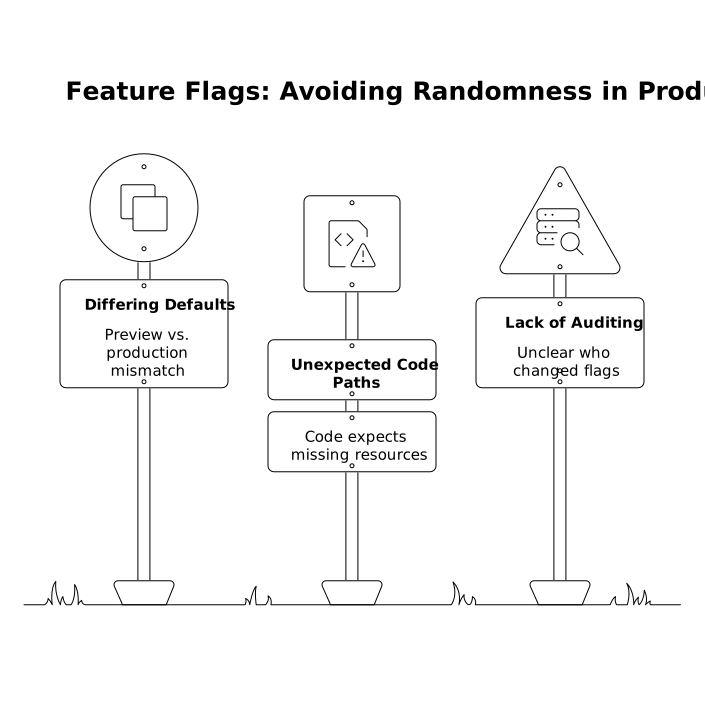
Feature flags prevent “ship and pray,” but they can also create non-determinism if the default state differs between preview and production. A common failure mode: preview has a flag enabled (because someone toggled it during testing), production defaults to off, and a code path now expects tables, columns, or permissions that never get used in prod until a user hits it.
Fix this by defining a simple policy:
- All flags are declared in code (name, description, allowed values).
- Each environment has a committed baseline (e.g., JSON/YAML in the repo).
- Production toggles are audited (who changed what and when).
Couple “data-affecting” flags to migrations
Not all flags are equal. If a flag changes the data model (new table usage, different auth rules, different background jobs), it should be treated as a release step with a checklist:
- Migration applied
- Seed updated
- Backfill run (if needed)
- Flag enabled in preview first
- CI snapshot tests pass against the “flag on” state
This prevents the classic scenario where production code deploys a new path but the underlying data is not ready.
CI snapshots that make preview reproducible
Promote a single source of truth for the database state
In a React + Postgres stack, a deterministic environment usually hinges on database reproducibility. CI snapshots are a practical approach: you create a known database state and run integration checks against it on every merge.
A solid baseline pipeline looks like:
- Build with pinned dependencies (lockfiles enforced).
- Provision a temporary database in CI.
- Apply migrations from scratch.
- Run seed scripts to create baseline fixtures.
- Snapshot that state (logical dump) to reuse across test stages.
- Run tests: API, RLS/auth checks, critical UI flows (headless).
Even if you don’t literally reuse the same dump between steps, thinking in snapshots keeps you honest: every test stage should know exactly what data and flags exist.
Test the prod-like constraints that previews hide
Previews often run with relaxed settings: permissive CORS, local storage fallbacks, stubbed email, wide-open RLS, or admin sessions. Your CI snapshot is where you simulate production constraints safely:
- RLS enabled with real policies
- Non-admin test users
- Empty-state plus “large table” scenarios
- Strict env var presence checks (fail fast when missing)
- Time zone and locale assertions if dates are core to the product
Practical guardrails to prevent drift
Fail fast on missing configuration
One of the most effective changes is making the app crash early when required environment variables are missing. Don’t let production limp forward with undefined endpoints, blank keys, or uninitialized storage settings. Validate config at startup and in CI.
Stabilize external dependencies
Third-party APIs can introduce “randomness” through rate limits, webhooks, and time-based behaviors. In CI, prefer mocks for external calls, and keep a single “contract test” stage that runs against sandbox environments with predictable fixtures.
Use GitHub syncing to make environment rules reviewable
Teams get the most benefit when environment definitions live where code review happens. If your workflow already syncs AI-generated projects to GitHub, you can treat seeds, flag baselines, and CI environment setup as first-class code artifacts. Tools like lovable.dev fit well here because the generated React/Supabase/Tailwind stack can be iterated quickly while still keeping deterministic infrastructure and code export in the same lifecycle.
How this reduces “preview prod drift” in day-to-day work
Once seed data, flags, and CI snapshots are in place, common failure patterns become much rarer:
- A new screen that assumes a “default workspace” exists will fail in CI unless the seed defines it.
- A feature guarded by a flag won’t silently differ between preview and prod because the baseline is committed.
- A migration that breaks RLS will show up as failing permission tests against snapshot users.
- A missing secret won’t be discovered by a customer; it will break the build.
This is especially valuable for fast iteration cycles, where a small difference can slip into production unnoticed. If you want a related discipline for keeping generated artifacts stable over time, How to Keep LLM Snippets Fresh With Versioning Timestamps and Deprecation pairs well with deterministic environment practices.