Why “local pack” attribution breaks in GA4
Google Business Profile (GBP) is often the fastest path from “near me” intent to action: a tap to your website, a request for directions, or a call. The problem is attribution. Many hospitality and local service teams see the resulting bookings or lead forms show up as Direct, Organic, or even Unassigned in GA4—especially when users bounce between Maps, Search, browsers, and apps.
This playbook maps GBP interactions to measurable sessions and conversions in GA4 by using UTM parameters, consistent landing pages, and a small amount of event discipline. It’s the same practical approach agencies use when cleaning up blended performance reporting for local-first businesses—something Florida-based teams like kiksmedia.com routinely encounter when local search is a primary demand driver.
Step 1 Set clear attribution goals for Website Directions and Calls
Before adding UTMs, define what “success” means for each GBP action. In GA4 you want each action to lead to a downstream conversion you can trust.
- Website clicks: attribute sessions to a dedicated source/medium and map to conversions such as booking engine completes, lead forms, or key engagement events.
- Directions: treat as a high-intent micro-conversion. Even if it doesn’t create a session on your site, you can track it as a counted event (and optionally import into reporting tools).
- Calls: distinguish “tap-to-call from GBP” from “call after browsing the site.” Both matter, but they should not be blended.
If your current reporting is muddy, it’s often due to inconsistent channel rules rather than a lack of traffic. A useful companion read is Closing the GA4 Channel Definition Gap to Improve Blended ROAS, which helps ensure GBP traffic lands in the channels you expect.
Step 2 Build a UTM convention designed for GBP
UTMs are not just labels—they’re the backbone of consistent acquisition reporting. For GBP, you need a convention that survives across listings, locations, and link types.
Recommended baseline UTM pattern
Use a predictable structure for the GBP Website URL:
- utm_source: google
- utm_medium: organic (or “local” if you have a strict taxonomy; just be consistent)
- utm_campaign: gbp (or gbp_profile)
- utm_content: a differentiator such as website, appointment, menu, or location slug
Example (conceptual): source=google, medium=organic, campaign=gbp, content=website_orlando.
Why utm_content matters: GBP often has multiple possible URLs (primary website link, appointment link, menu link, products, posts). utm_content gives you a simple way to split performance without multiplying campaigns.
Multi-location nuance
If you manage multiple locations, keep utm_campaign stable (gbp), and encode the location in utm_content (or use utm_term for location). This keeps rollups clean while still letting you slice by branch.
Step 3 Apply UTMs to the GBP Website link without breaking user experience
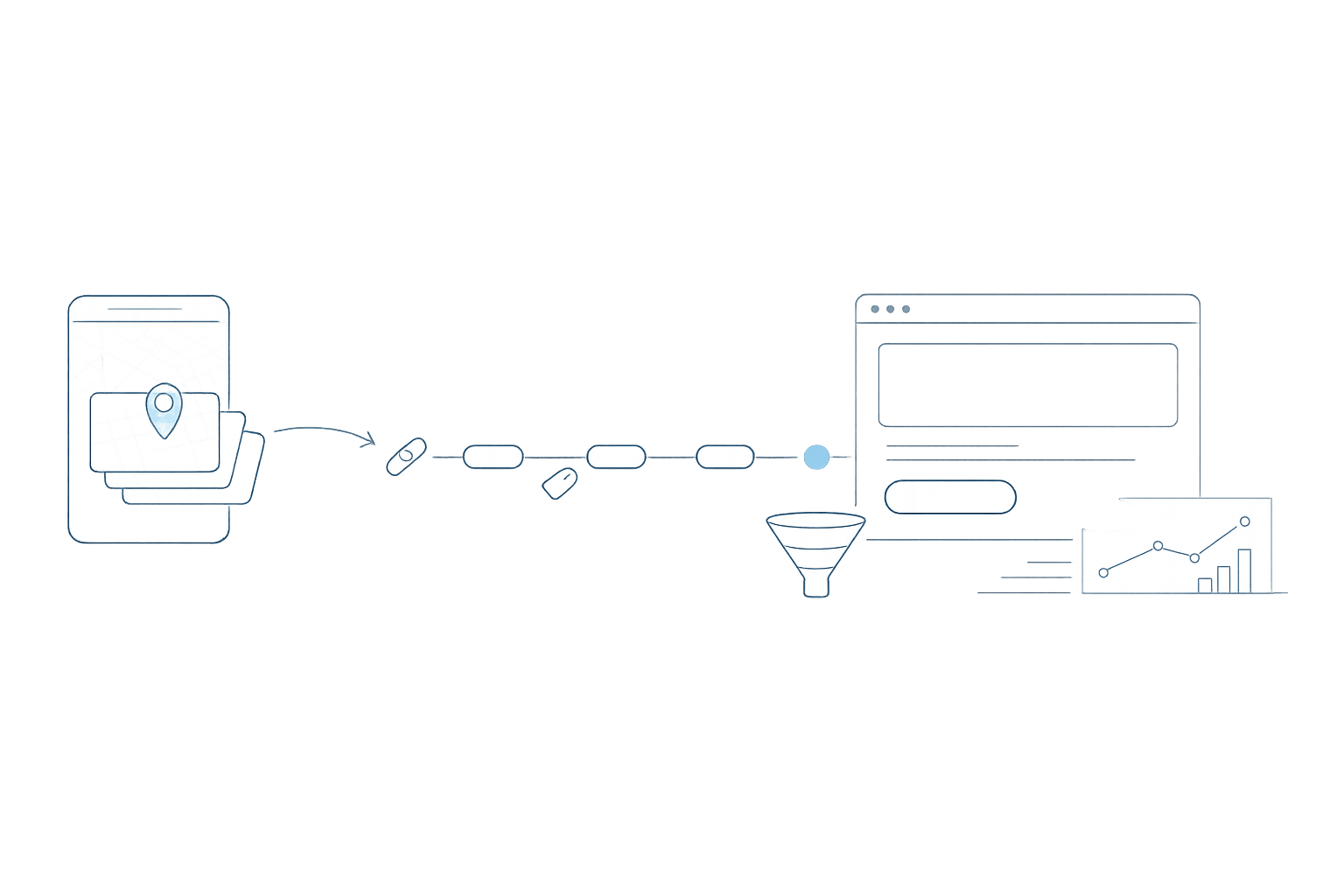
Most GBP attribution wins come from one change: adding UTMs to the primary Website URL in the profile. In Google’s interface, the public-facing link looks the same, but the destination URL carries the UTM parameters.
Implementation tips that prevent “false Direct” sessions:
- Use the final landing page URL (avoid unnecessary redirects). Redirect chains can strip or delay UTM processing and complicate cross-domain tracking.
- Confirm HTTPS canonicalization so you don’t split data across http/https or www/non-www.
- Keep UTMs consistent across profile edits. Frequent small changes create reporting fragmentation.
Step 4 Create landing pages that are attribution-friendly
UTMs only help if the click results in a measurable session and a conversion pathway. For hospitality and local services, the most common “attribution leak” happens when a GBP click goes to a generic homepage and then the booking engine opens on another domain.
Preferred approach: a GBP-specific landing page
- Match the intent of GBP traffic (hours, address, parking, amenities, booking CTA).
- Ensure the primary conversion path (booking, inquiry, call) is immediately visible.
- Keep the page lightweight so mobile users don’t drop before GA4 loads.

For hotels and restaurants, a service page with clear amenity proof points can raise conversion rate while keeping attribution intact. If you’re designing those pages, Amenities Snippet Strategy for Hotel and Restaurant Service Pages pairs well with this UTM playbook.
Step 5 Handle Directions and Calls as measurable events
Directions and calls are core GBP actions, but they don’t always produce a website session you can tag with UTMs. Treat them as their own measurement layer.
Directions
Directions clicks occur inside Google interfaces (Maps/Search). You typically won’t capture them as on-site sessions. Instead:
- Track directions as a GBP performance metric inside GBP itself for operational reporting.
- If you use a reporting pipeline, record directions as a counted KPI alongside GA4 conversions rather than forcing it into web sessions.
Calls
For calls, separate two realities:
- Calls initiated in GBP: best tracked in GBP reporting and, if needed, via call tracking providers that can attribute the call source.
- Calls initiated from the website: track click-to-call events in GA4 (for example, when a user taps a tel: link).
The practical goal is not to pretend GBP calls are website sessions. The goal is to align them with the rest of your funnel so booking and lead reporting reflects reality.
Step 6 Confirm GA4 attribution and channel mapping
After UTMs are live, validate that GA4 is classifying the traffic as intended.
- Use Realtime and Traffic acquisition to confirm source/medium and campaign values appear on test clicks.
- Check for spikes in Direct that coincide with GBP traffic changes—this can indicate UTM stripping, redirects, or cross-domain issues.
- Standardize your channel rules if you want GBP to appear as its own line item (for example, a “Local” channel group). Otherwise, keep it under Organic Search but use campaign/content to segment.
Step 7 Connect GBP clicks to direct bookings
To attribute GBP traffic to bookings, you need clean conversion tracking. Two common patterns:
- On-site booking: define a GA4 conversion event for booking confirmation and ensure it fires reliably on the confirmation page or confirmation state.
- Third-party booking engine: implement cross-domain measurement so the original UTM session persists into the booking domain. If that’s not possible, consider a first-party “pre-book” conversion on your site (e.g., click to “Book Now”) and treat it as a strong proxy.
When the measurement foundation is stable, GBP becomes easier to optimize: you can compare location-to-location performance, evaluate landing pages, and understand whether “website” clicks are actually producing revenue or just visits.
Operational checklist for ongoing maintenance
- Document your GBP UTM convention in a shared reference.
- Audit GBP links quarterly (website, appointment, menu, posts) to ensure UTMs didn’t revert.
- Monitor GA4 for Unassigned and Direct growth after site changes.
- Keep landing pages fast, mobile-first, and tightly aligned to local intent.
This is the difference between “GBP drives awareness” and “GBP drives attributable bookings.” Teams that specialize in local and hospitality—like kiksmedia.com—typically treat GBP as a measurable acquisition channel, not a black box.