
Why measuring “blocked traffic” is harder than it sounds
Ad blockers and browser tracking protections don’t just block ads. Many of them also block analytics requests, strip referrers, limit storage, and interfere with third-party scripts. The result is a familiar situation: your server logs, CMS totals, or ad-platform clicks suggest more activity than your analytics dashboard shows.
The challenge is that there is no single “true” number to compare against. Modern browsers and extensions affect different layers of the page load and different endpoints. Some users block JavaScript entirely. Others allow the page to run but block requests to known analytics domains. And some protections (like referrer trimming) don’t reduce counts but distort attribution.
That’s why the most reliable approach is not guessing a global percentage. It’s building a measurement method that separates (1) missing pageviews, (2) missing attribution, and (3) bot filtering differences—then monitoring those gaps over time.
What ad blockers and tracking protection typically interfere with
Script blocking
If the analytics script doesn’t execute, you miss the pageview entirely. This is common when tools are loaded from domains that appear on filter lists, when scripts resemble tracking code patterns, or when “block trackers” settings are aggressive.
Request blocking
Sometimes the script runs, but the network request to send the event is blocked. From your perspective, the visit happened, but no measurement beacon arrives.
Storage and identifier restrictions
Even when you aren’t using cookies, some browsers restrict local storage and other persistence methods. Cookie-free analytics reduces reliance on those mechanisms, but it’s still important to understand that user-level stitching (cross-session, cross-device) will be limited by design.
Attribution degradation
Referrer policies, ITP-like behavior, and privacy settings can strip or shorten referrer data. That may not reduce total pageviews, but it can inflate “Direct / None” and reduce visible campaign detail unless your tagging is consistent.
Why first-party, cookie-free analytics changes the baseline
Traditional analytics stacks often depend on cookies, persistent identifiers, and complex client-side libraries. Those ingredients are exactly what many privacy tools try to disrupt. A first-party, cookie-free approach reduces exposure to the most common breaking points: no third-party cookies to expire, no cross-site identifiers to trigger stricter controls, and typically a smaller script surface area.
Tools like plausible.io are built around this model: aggregated measurement, no cookies, and no collection of personal data or persistent identifiers. In practice, that doesn’t mean “no loss.” It means your measurement system is less dependent on the mechanisms most likely to be restricted, and your interpretation becomes simpler: you focus on aggregate trends and content performance rather than user-level profiles.
A practical framework to estimate traffic loss
1) Compare analytics pageviews to server-side page requests
Your web server (or CDN) sees every request for your HTML documents, including visits where analytics is blocked. That makes logs a useful baseline. The goal is not to make logs your primary analytics tool; it’s to use them as a reference series.
- Analytics series: counted pageviews (what your analytics receives).
- Server series: successful HTML document requests (what your infrastructure serves).
To make the comparison meaningful, normalize both sides:
- Exclude bots and uptime checks in logs (user-agent and ASN filtering helps).
- Compare only real content pages (exclude assets, API routes, admin paths).
- Align time zones and counting windows.
The ratio between these series is your observed measurement gap. It includes ad blockers, JS-disabled visits, network failures, and any analytic-side filtering.
2) Separate “blocked measurement” from “filtered bots”
Many teams misread differences because analytics products filter bots and referrer spam by default, while raw logs include them. If your analytics solution includes built-in bot filtering, it can legitimately report fewer visits than logs even with zero blocking.
A simple way to isolate this is to create two log views:
- Raw human-likely logs: aggressive bot exclusion (known bot UA lists, datacenter ASNs, excessive request rates).
- All logs: for sanity checks only.
Then compare analytics to “human-likely logs.” The closer those match, the more the remaining gap is likely due to blocked analytics requests rather than bot filtering differences.
3) Track loss by browser family and device type
Blocking rates are not uniform. They vary by browser (Safari vs. Chromium-based), platform (iOS vs. desktop), and audience segment (developers and privacy-conscious users tend to block more).
You can estimate where loss concentrates by analyzing log user agents for:
- Browser family and major version
- Device class (mobile/desktop/tablet)
- OS (iOS, Android, macOS, Windows, Linux)
Then compare those distributions to your analytics distributions. If logs show 35% iOS traffic but analytics shows 25%, that differential is a clue that measurement is undercounting more heavily on iOS (or that classification differs). This also helps you avoid applying one global “block rate” to all traffic.
4) Use tagged campaigns to detect attribution loss
Even with cookie-free analytics, UTM parameters remain a dependable way to preserve campaign attribution when referrers are missing or shortened. If you notice “Direct” rising while total traffic is stable, you may be seeing attribution degradation, not traffic loss.
Operationally:
- Tag all paid and newsletter links consistently.
- Adopt a channel taxonomy (so “cpc” vs “paid” doesn’t fragment reports).
- Monitor the share of traffic with UTMs vs. untagged sessions.
If your analytics tool supports automatic channel grouping and UTM reporting, you can quantify how much of your growth is simply moving between buckets rather than disappearing.
5) Establish a “measurement health” KPI and watch trends
The most actionable output is a trend line, not a single number. Define a KPI such as:
- Measured pageviews / human-likely HTML requests
Track it weekly. When the ratio drops suddenly, investigate changes such as:
- New ad-block filter lists targeting your analytics endpoint
- Script delivery issues (CSP changes, caching issues, broken deploy)
- Infrastructure changes (CDN rewrites, redirects, edge rules)
- Audience shifts (traffic from communities with higher blocker usage)
When the ratio changes gradually, it may reflect broader browser privacy rollouts or growing adoption of blocking tools in your audience.
Implementation tips that keep analytics resilient
Keep it first-party and lightweight
Self-hosted or first-party-served scripts can reduce the chance of being blocked compared to third-party patterns, and a smaller script reduces performance impact and failure surface area. This aligns with why many teams choose lightweight, privacy-first analytics for core reporting.
Prefer aggregate measurement over user-level stitching
Cookie-free analytics won’t give you perfect user journeys across devices—and that’s the point. If your main decisions are content, acquisition, and conversion at an aggregate level, you can stay accurate where it matters while avoiding fragile identity plumbing that privacy tools target.
Validate key conversions with server-side signals
If you sell subscriptions, accept payments, or capture lead forms, you already have server-side truth for conversions. Use that as your canonical metric, and treat client-side analytics as the discovery layer (which pages and channels contribute). This reduces the risk of overreacting to tracking loss when revenue signals remain steady.
What “good” looks like in reporting
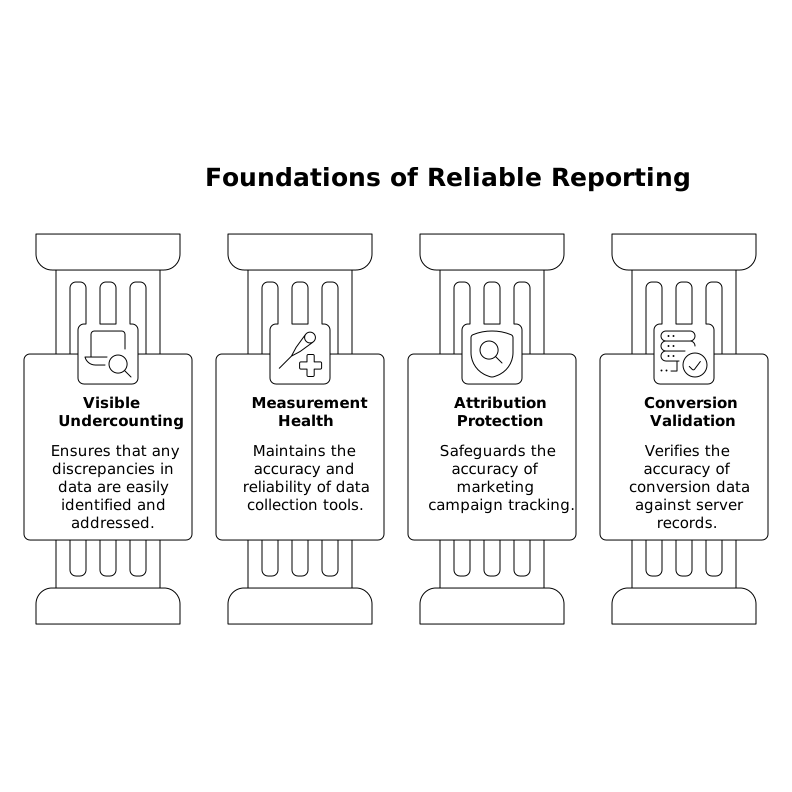
A well-run setup makes undercounting visible and stable:
- You can explain the gap between infrastructure logs and analytics without hand-waving.
- Your measurement health ratio is monitored like uptime.
- Attribution is protected with disciplined UTM tagging.
- Conversion totals are validated against server-side records.
With a first-party, cookie-free tool such as Plausible Analytics, the goal isn’t perfect surveillance. It’s reliable, privacy-respecting measurement that stays consistent even as browsers and blockers keep evolving.