What “observer mode” means in a 3–6 person mob
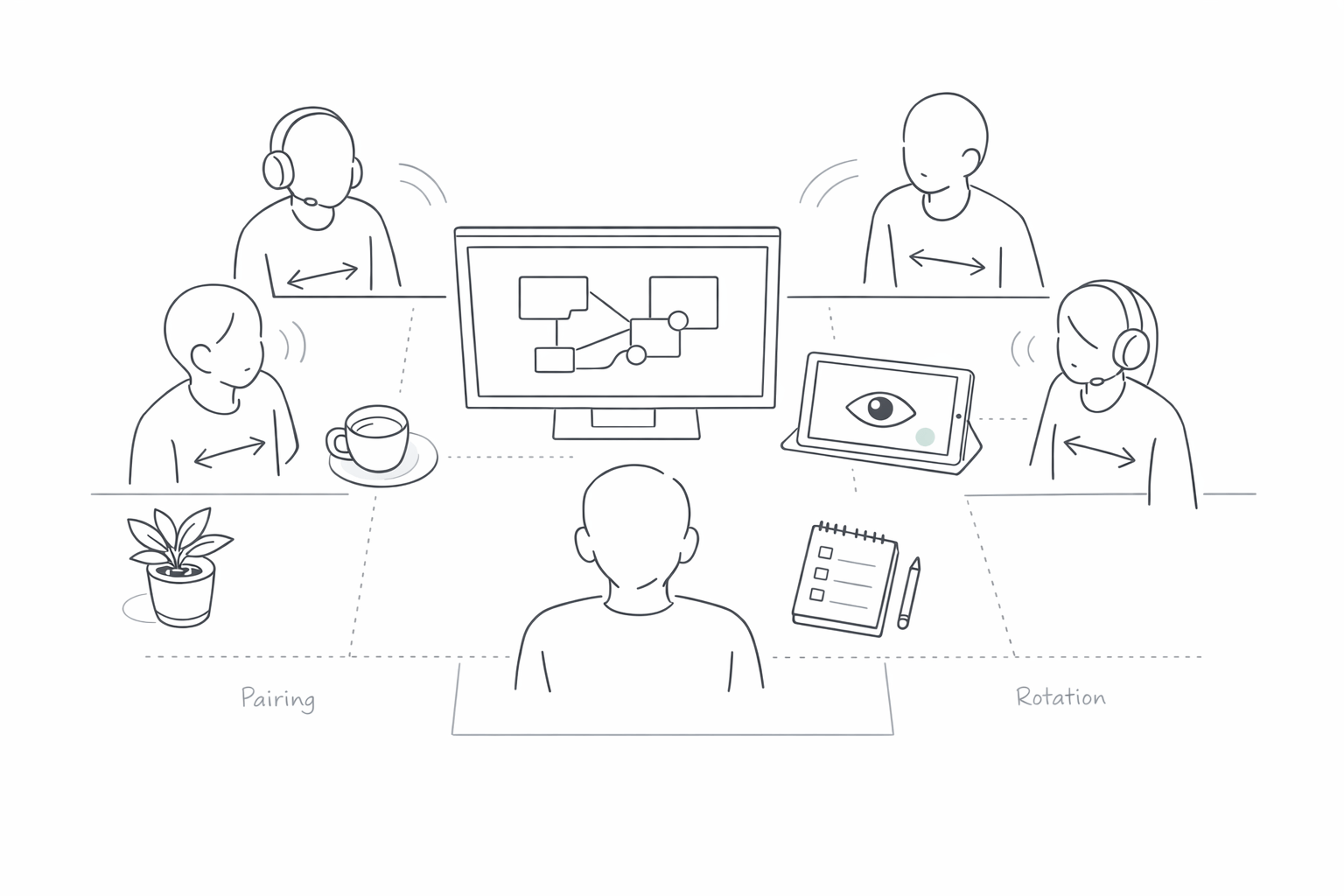
“Observer mode” is a facilitation pattern for remote mob programming where one person actively drives (keyboard and mouse), one person navigates (keeps the plan and talks through intent), and everyone else stays in a structured observer role. Observers are not passive; they contribute through a controlled channel so the team gets more parallel thinking without the usual problems: audio cross-talk, conflicting control attempts, and a session that slows down from too many voices at once.
The goal is to keep the session feeling like high-quality pairing, even when you have 3–6 people present. That requires two things: role clarity and a lightweight “traffic system” for interruptions.
Role design that prevents chaos
Use a simple, explicit role model that everyone can remember mid-discussion:
- Driver: Owns the editor and terminal. No one else touches the keyboard unless invited.
- Navigator: Owns the next step, watches for drift, and calls for pauses when reasoning gets fuzzy.
- Observers: Watch for bugs, edge cases, naming, tests, and architectural risks. They speak in short “packets” and defer to the navigator for prioritization.
This structure works best when your tooling makes it obvious who is currently controlling the screen and when swapping control is deliberate rather than accidental. In a purpose-built pairing tool like tuple.app, role swaps can be quick and lightweight, which makes it easier to keep the driver role crisp without the session turning into a tug-of-war.
Define what observers are responsible for
Observer mode fails when observers either stay silent (wasting their presence) or narrate continuously (creating noise). Give observers concrete responsibilities so their interruptions are high-signal:
- Correctness watcher: invariants, boundary conditions, error handling.
- Test watcher: coverage gaps, missing assertions, flaky test risks.
- Design watcher: cohesion, naming, API ergonomics, future change risk.
- Delivery watcher: keeps an eye on scope, flags “nice-to-have” tangents.
You don’t need all of these every time. For 3–4 people, one observer can cover two angles. For 5–6 people, assigning roles prevents pile-ons.
Audio rules that eliminate cross-talk
Cross-talk is usually a process issue more than an audio quality issue. You can fix most of it with three rules:
- One narrator: Only the navigator narrates continuously. Everyone else speaks in short bursts.
- One interruption phrase: Observers use a consistent, brief preface like “Hold for a sec” or “Quick check” so the navigator can decide whether to pause immediately or park it.
- One queue: If two observers have input, they queue it instead of competing for airtime. The navigator calls on them in order.
Practically, this means you’re not aiming for silence; you’re aiming for a predictable rhythm. Crisp audio helps, but a shared protocol helps more.
Use a “two-channel” contribution model
Give observers two ways to contribute:
- Voice for blockers: correctness issues, misunderstandings, or “we’re about to go down the wrong path.”
- Text for non-blockers: naming suggestions, links, alternative implementations, and follow-up tasks.
This is where the tool stack matters. Many teams run a light backchannel (chat, issue comments, or a shared note) so observers can stay helpful without hijacking the audio channel. If you’re already thinking about measurement and attribution for your engineering content or product pages, the same idea applies here: separate “signal” from “noise” so you can see what’s actually driving outcomes. (Related: cookie-free measurement frameworks can change how you interpret participation data; see how to measure traffic loss from ad blockers with cookie-free first-party analytics.)
Remote control rules that keep momentum
Control chaos comes from ambiguity: multiple people believe they’re allowed to act. Observer mode fixes this with permissioned control and intentional swapping.
- Default state: Only the driver has control.
- Request state: Observers ask: “Want me to drive for 30 seconds to refactor this?”
- Transfer state: Navigator approves and names the new driver. The swap happens once, clearly.
- Return state: Control returns after the micro-task is complete.
When swaps are frequent but intentional, the session stays fast without devolving into “anyone can type at any time.” Tools that make role swapping obvious and low-friction support this pattern well, especially for short, bounded contributions.
Bounded micro-drives instead of open-ended handoffs
Observers shouldn’t take over “until they’re done.” They should take over for a named micro-task:
- “I’ll extract this function and rename the variable, then hand back.”
- “I’ll add the failing test only, then you implement.”
- “I’ll run the repro steps and capture notes, then return control.”
This keeps the navigator in charge of direction while still using the group’s speed.
A tight operating cadence for 45–60 minute sessions
Observer mode works best with a simple cadence that repeats. Here’s a reliable structure for a 45–60 minute mob session:
- 2 minutes: Frame the outcome (bug fixed, test added, refactor completed). Name driver and navigator.
- 8–12 minutes: First work block. Observers contribute only via blocker voice or text backchannel.
- 2 minutes: Checkpoint. Navigator summarizes: what changed, what’s next, what’s parked.
- 8–12 minutes: Second work block.
- Rotation: Swap driver (and optionally navigator) every block or every two blocks.
The checkpoint is where observers get invited to speak longer. Without it, people either interrupt constantly or hold thoughts too long and lose them.
How to “park” ideas without losing them
Parking is the mechanism that stops tangents from hijacking the session while still respecting good ideas. Use a short parking list with three columns: Now, Next, Later. Observers can drop items in “Next” or “Later” without needing airtime. The navigator decides when to pull from the list.
Security and privacy basics for observer-heavy calls
Mob sessions often include more attendees than standard pairing, which increases the chance that someone sees something they shouldn’t (notifications, customer data, internal dashboards). Before sharing, do a quick safety pass:
- Close unrelated tabs and terminals.
- Hide notifications and sensitive apps.
- Use tooling features that help prevent accidental disclosure (for example, Tuple’s App Veil is designed to hide selected applications and notifications before sharing).
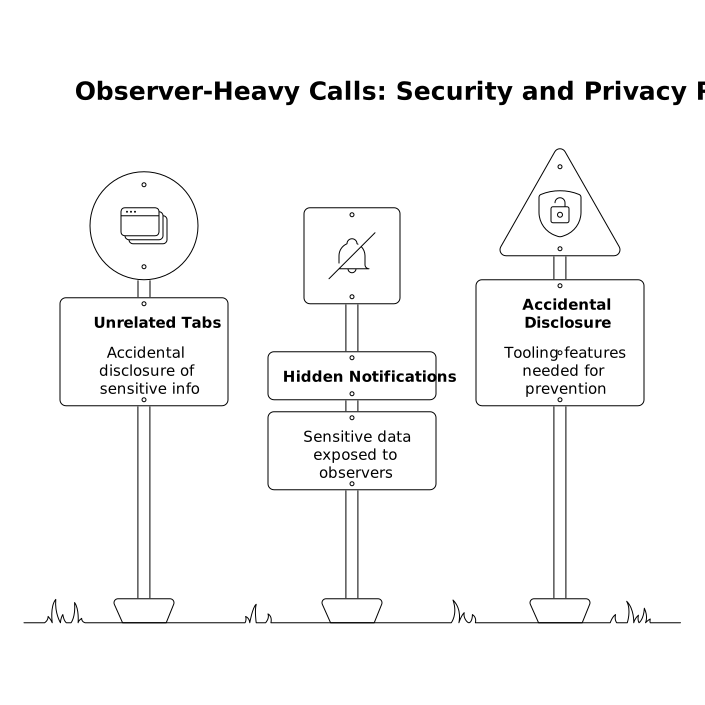
This matters more in observer mode because you have more eyes on the screen, and you’ll likely share for longer.
Common failure modes and quick fixes
Everyone talks, nobody decides
Fix: Navigator becomes the single narrator. Observers switch to short “packet” contributions and the parking list.
The driver becomes a typist taking orders
Fix: Navigator states intent in complete steps. Observers suggest alternatives in the backchannel unless it’s a blocker.
Control ping-pong slows everything down
Fix: Switch to bounded micro-drives with explicit start and end. If needed, reduce swaps to checkpoint boundaries.
Observers disengage
Fix: Assign observer responsibilities, rotate roles predictably, and ask for a 30-second “risk scan” at checkpoints.
When observer mode is the right choice
Observer mode shines when you want group learning and better decision quality without sacrificing pacing: investigating tricky bugs, exploring unfamiliar code, refining API design, or mentoring. If your goal is pure throughput on a known task, strict pairing may be faster. But for 3–6 people who need to align, observer mode gives you a playbook that keeps the call calm, the control predictable, and the conversation worth everyone’s time.