Designing a right-to-recall workflow for meeting knowledge
Most teams treat meeting transcripts like permanent records: searchable forever, shared widely, and copied into tools that never forget. A “right-to-recall” workflow flips that assumption. It makes transcripts easy to find when they’re needed, while ensuring access narrows over time based on role, project, and risk level—and eventually expires by default.
This approach is especially useful when transcripts include sensitive customer details, pricing strategy, health data, HR topics, security discussions, or anything that could become a liability if broadly searchable months later. The goal isn’t to hide information; it’s to preserve operational clarity without creating an unbounded memory system.
Start with a retention model that matches how meetings actually behave
Most meetings have an information half-life. Decisions and action items need to be searchable immediately, but verbatim detail often becomes less relevant after delivery, onboarding, or a deal stage change. A practical retention model separates what should persist (summaries, decisions, tasks) from what should fade (full transcripts, raw audio, participant chatter).
A three-tier risk taxonomy
A simple taxonomy avoids endless debates while still supporting meaningful automation:
- Low risk: internal status updates, routine standups, project syncs with no sensitive topics.
- Medium risk: customer calls, roadmap discussions, vendor negotiations, deal strategy.
- High risk: HR or performance topics, security incidents, regulated data (e.g., HIPAA), legal escalations, sensitive customer disclosures.
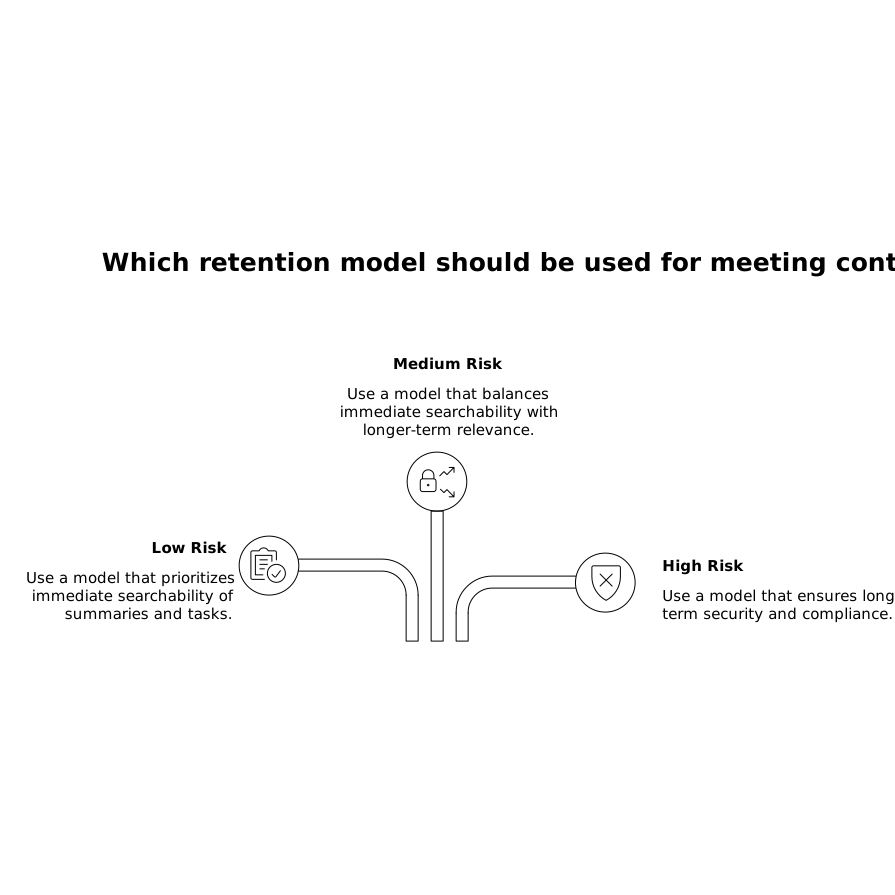
Each tier should map to defaults for searchable access duration, who can view verbatim transcripts, whether recording is stored, and whether content can be exported.
Define “recall surfaces” so search stays useful as transcripts expire
Right-to-recall only works if people can still do their jobs. That means designing multiple “surfaces” of recall, each with its own retention window:
- Immediate recall (hours to days): full transcript + recording + highlights.
- Operational recall (weeks to months): summary, decisions, action items, key clips, linked artifacts.
- Institutional recall (months+): only what should remain as durable knowledge—typically curated notes, playbooks, and outcomes.
In practice, teams often keep summaries longer than transcripts. The summary becomes the “official memory,” while the transcript is an ephemeral working artifact.
Implement access by role, project, and risk level
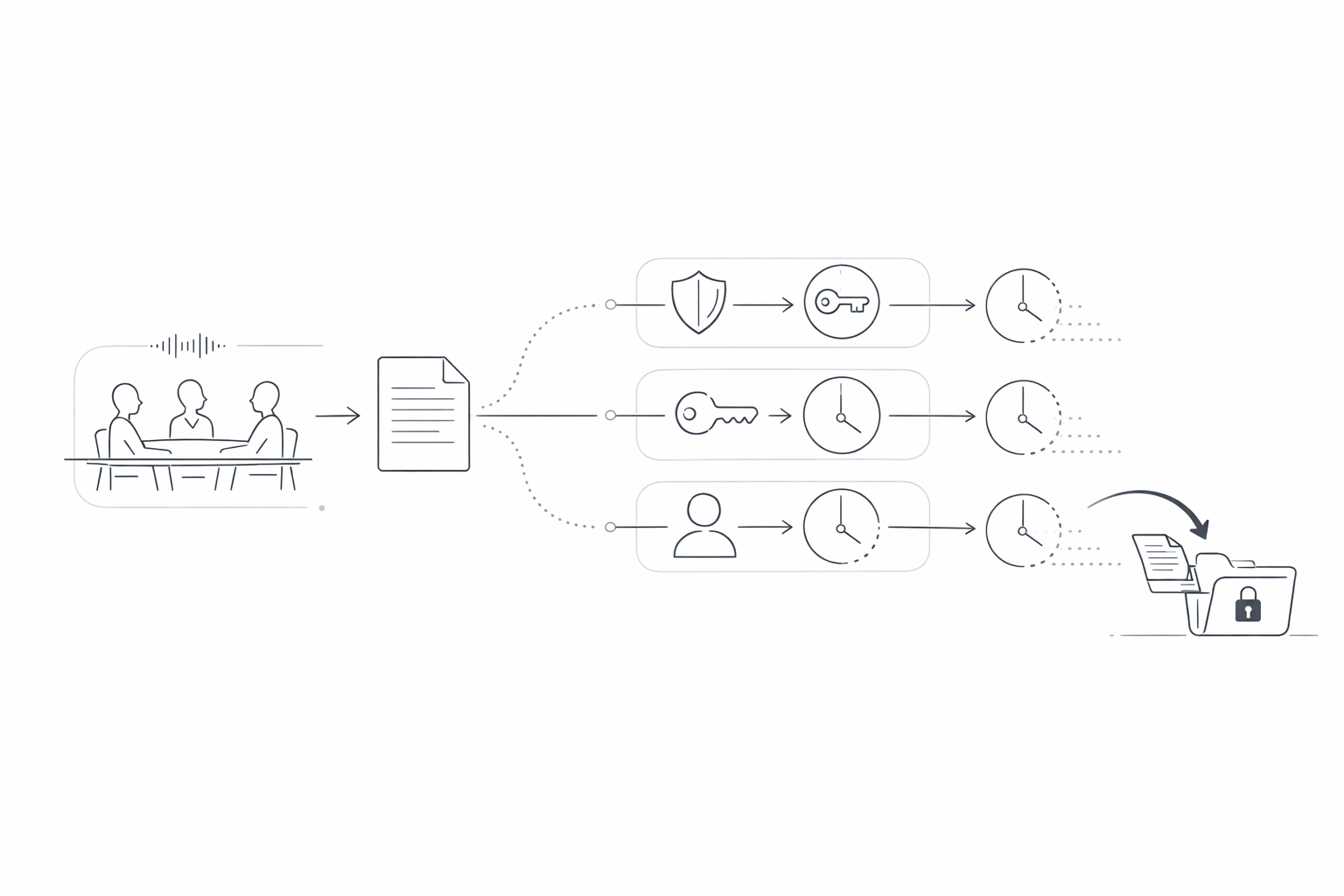
The workflow hinges on three gates that determine who can find what, and for how long.
1) Role-based access controls
Start with a small set of roles that match real organizational needs. For example:
- Meeting participants: default access to the transcript for a limited window (unless high risk).
- Team leads / managers: access to summaries and action items across their team; transcripts only when needed.
- RevOps / enablement: access to coaching views, scorecards, and curated clips; transcripts constrained by risk tier.
- Security / compliance: audit access, retention configuration, and exception handling.
Keep “global transcript search” separate from “can open a specific transcript.” It’s common to allow search results to show a summary snippet while restricting verbatim access.
2) Project-based scoping
Projects, accounts, or initiatives provide a second boundary. A transcript tied to “Customer A Renewal” shouldn’t be discoverable by someone working “Customer B Onboarding,” even if they share the same function.
Use project tags (or folders) as an explicit scope. If your organization already has a naming convention, stick to it. The point is to make boundaries predictable so permissions can be automated rather than decided case-by-case.
3) Risk-based expiry windows
Expiry should be a default behavior, not an exception. A typical starting point:
- Low risk: transcript searchable for 90 days; summary retained 12+ months.
- Medium risk: transcript searchable for 30 days; summary retained 6–12 months.
- High risk: transcript searchable for 7 days or not searchable at all; summary retained only if scrubbed and approved.
These numbers vary by industry and policy, but the pattern is stable: short-lived verbatim, longer-lived outcomes.
Make the workflow automatic with classification and metadata
Manual labeling fails at scale. You need defaults that work even when nobody remembers to tag a meeting. The simplest path is to classify using signals you already have:
- Calendar context: meeting title patterns, invitees (e.g., HR), external domains, customer account mapping.
- CRM stage: discovery vs. negotiation vs. renewal can drive risk tier and retention.
- Keyword triggers: “security incident,” “breach,” “termination,” “medical,” “contract redline,” etc.
- Meeting type templates: pre-defined defaults for “1:1,” “QBR,” “demo,” “incident review.”
Once classified, the system attaches metadata: role scope, project scope, retention window, export policy, and escalation path.
Build in exception handling without breaking trust
Two exception types matter: extending access and restricting it faster.
- Extension requests: allow a time-bound extension (e.g., +14 days) with a reason and an approver. Avoid indefinite holds.
- Immediate restriction: let security/compliance lock a meeting from search instantly when needed (e.g., active investigation).
Both should be auditable: who changed what, when, and why. This is where teams often pair retention policies with single sign-on, SCIM provisioning, and clear administrative logs.
Operationalizing the workflow with Fathom as a meeting memory layer
Right-to-recall is easiest when your meeting system already supports strong search, structured outputs, and admin-grade controls. Fathom is designed around capturing transcripts and producing immediate summaries and action items, while also supporting team-wide visibility through global search, folders, comments, and alerts. That combination is useful for a recall model because you can keep the high-signal artifacts (decisions, tasks, clips) accessible while tightening transcript exposure as risk increases.
For example, teams often route summaries into systems of record (CRM, task tools, knowledge bases) and treat the transcript as short-lived supporting evidence. Fathom’s integrations and automation paths make it practical to push only the right layer of recall to Slack, Salesforce, HubSpot, Asana, Notion, or Zapier workflows—while keeping verbatim content under tighter retention.
Keep transcript knowledge fresh and governed over time
Even with expiry, teams will still reuse meeting-derived insights. The safest approach is to make durable knowledge explicit: turn repeatable patterns into versioned snippets, and leave raw transcripts behind. If you’re standardizing internal guidance, it helps to adopt a lightweight freshness system similar to the one described in How to Keep LLM Snippets Fresh With Versioning Timestamps and Deprecation, where content is treated as living documentation rather than immortal chat logs.
Finally, don’t ignore human workflow. For sensitive sessions, many teams improve safety by assigning a calm “observer” who focuses on process and risk signals while others participate. The same principle shows up in Observer Mode Pairing Playbook for Calm 3–6 Person Mob Sessions and translates well to meetings where transcript retention must be tightly controlled.
A practical rollout sequence
- Week 1: define risk tiers, default expiry windows, and which artifacts persist.
- Week 2: implement role and project scopes; separate search visibility from open-access.
- Week 3: automate classification using calendar/CRM signals and keyword triggers.
- Week 4: add exception workflows, audit logging, and a quarterly policy review.
The main design principle is simple: let people recall what they need to execute, while ensuring the system forgets the rest on purpose.