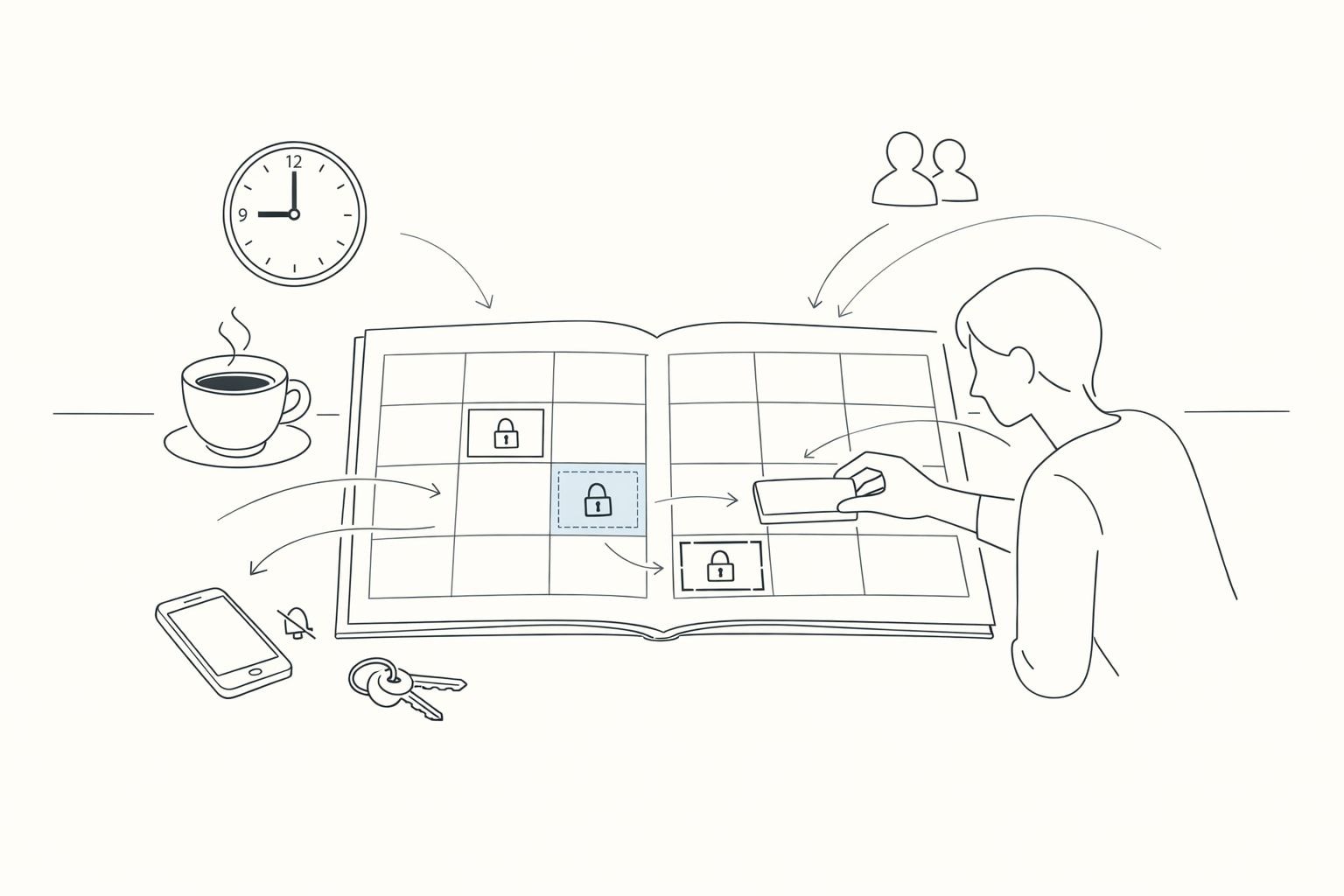
Constraint-first time blocking starts with what cannot move
Most time-blocking advice assumes you can plan tasks first and “fit” everything else around them. That’s backwards for real life. A constraint-first workflow flips the order: you lock in the commitments that are truly non‑negotiable, then you plan tasks inside the remaining space.
This approach is especially effective if your days include meetings, caregiving, commuting, deep work requirements, or energy limits. Instead of repeatedly rewriting an ideal schedule that never survives the morning, you build a plan that respects the hard edges of your day.
What counts as a constraint in a constraint-first plan
A constraint is anything that meaningfully reduces the time you can allocate, or the kind of work you can do, within certain windows. The most useful constraints to block first fall into three categories.
1) Time constraints you can’t renegotiate
- Meetings you must attend
- School pickup and drop-off
- Travel time and commute buffers
- Appointments and deadlines with fixed delivery windows
2) Attention and energy constraints
- Deep work windows when you’re reliably sharp
- Low-energy periods where admin work is more realistic
- Context limits such as “no calls” environments or noisy locations
3) Capacity constraints that protect sustainability
- Lunch and short breaks you actually take
- Transition time between modes (writing → meetings → execution)
- Daily shutdown time
The key is honesty. If you consistently skip lunch or cram meetings back-to-back, your plan might look efficient but it won’t be resilient.
The constraint-first workflow in five blocks
Think of the workflow as building a container before you pour tasks into it. Each step is simple, but the order is the entire point.
Step 1: Create “hard” calendar blocks for your non‑negotiables
Start with anything that is truly fixed: meetings, appointments, travel, external commitments, and immovable deadlines. Add buffer time where reality demands it (prep, commute, notes, handoffs). When these blocks exist first, you stop planning in imaginary time.
If you’re using a workspace that combines calendar and tasks, this is where tools like Routine help: you can see the day’s hard edges and the available gaps without bouncing between multiple apps.
Step 2: Add protective constraints that prevent schedule collapse
Protective constraints are the blocks that keep the day humane and functional: lunch, a short reset after meetings, a daily planning window, and a shutdown block. These are “non‑negotiables” because without them you pay later in stress, rework, or late nights.
Two practical examples:
- Meeting recovery: add a 10–15 minute buffer after any meeting that requires decisions or follow-up.
- Daily planning: a 15-minute block in the morning (or end of day) to reconcile tasks with today’s constraints.
Step 3: Identify your remaining capacity windows
Now look at the leftover time. These are your “capacity windows” and they’re not all equal. Label them mentally (or explicitly) as one of the following:
- Deep work windows: 60–120 minutes, minimal switching
- Shallow work windows: 20–45 minutes, admin and quick wins
- Flex windows: intentionally unscheduled time for surprises
This is where constraint-first planning gets powerful: you’re no longer asking “What should I do today?” but “What kind of work fits here?”
Step 4: Convert tasks into scheduled actions that match the windows
Pick tasks based on the kind of window you have, not just urgency. A few matching rules that keep plans realistic:
- Deep work: writing, coding, strategy, analysis, difficult problem solving
- Shallow work: email triage, status updates, light coordination, routine reviews
- Flex windows: follow-ups from meetings, unexpected requests, small fixes
When you schedule tasks, keep each block specific and finishable. “Work on project” is vague; “Draft outline for Q3 onboarding email” is executable.
If you run outreach or high-volume email work, keep deliverability in mind: batch work can create sudden sending spikes. A more sustainable workflow is to progress from engagement to outreach in stages; the same “constraints first” idea applies because inbox placement is a real constraint. If that’s part of your world, this guide on warmup engagement and campaign outreach complements the scheduling approach without changing it.
Step 5: Run a daily reconciliation loop instead of constant re-planning
The goal isn’t a perfect schedule; it’s a schedule that stays coherent as reality changes. Use a lightweight daily loop:
- Confirm constraints: any new meetings, travel, or hard deadlines?
- Preserve protective blocks: don’t delete lunch and buffers first.
- Reassign tasks by window type: move deep work into deep work windows, not into fragments.
- Keep a small overflow list: tasks that didn’t fit today but remain important.
This prevents the common failure mode where you “optimize” by constantly reshuffling tasks and end up doing none of them.
How to decide what’s truly non‑negotiable
People often block the wrong things first: they treat urgent tasks as constraints, then wonder why the day implodes. Use these tests to label a block as non‑negotiable:
- External dependency test: Does someone else’s time depend on you showing up?
- Consequence test: If it moves, does it cause a real penalty (missed deadline, broken commitment, health impact)?
- Repeatability test: Do you keep “borrowing” from this time and paying for it later?
Many blocks become non‑negotiable only after repeated pain. If your deep work keeps getting cannibalized, it’s not optional; it’s a constraint you haven’t admitted yet.
Common mistakes that make time blocking feel like failure
Overfilling the remaining space
After blocking constraints, it’s tempting to cram tasks into every gap. Leave at least one flex window per day (even 30 minutes). Your future self will use it.
Scheduling deep work into fragmented time
Two 30-minute gaps rarely equal a productive hour. Put cognitively heavy tasks into true deep work windows or they will drag across days.
Ignoring transition costs
Switching from a meeting into focused output takes time. Buffer blocks aren’t “wasted”; they’re how you protect output quality.
Why this workflow pairs well with an integrated planning tool
Constraint-first planning is easiest when your calendar and tasks live in the same view. You can lock the day’s non‑negotiables, see capacity windows instantly, and turn tasks into scheduled actions without duplicating work across apps. That integrated loop is the real advantage: fewer moving parts, fewer missed handoffs, and a day plan that reflects reality.